Data Collection App
Before this existed, nobody on the team could say what still needed capturing to build the visual model, or when there was already enough.
Led the design, working with a junior designer
A junior designer, a product manager, and dev teams
The capture flow, project and folder organization against quotas, and model verification
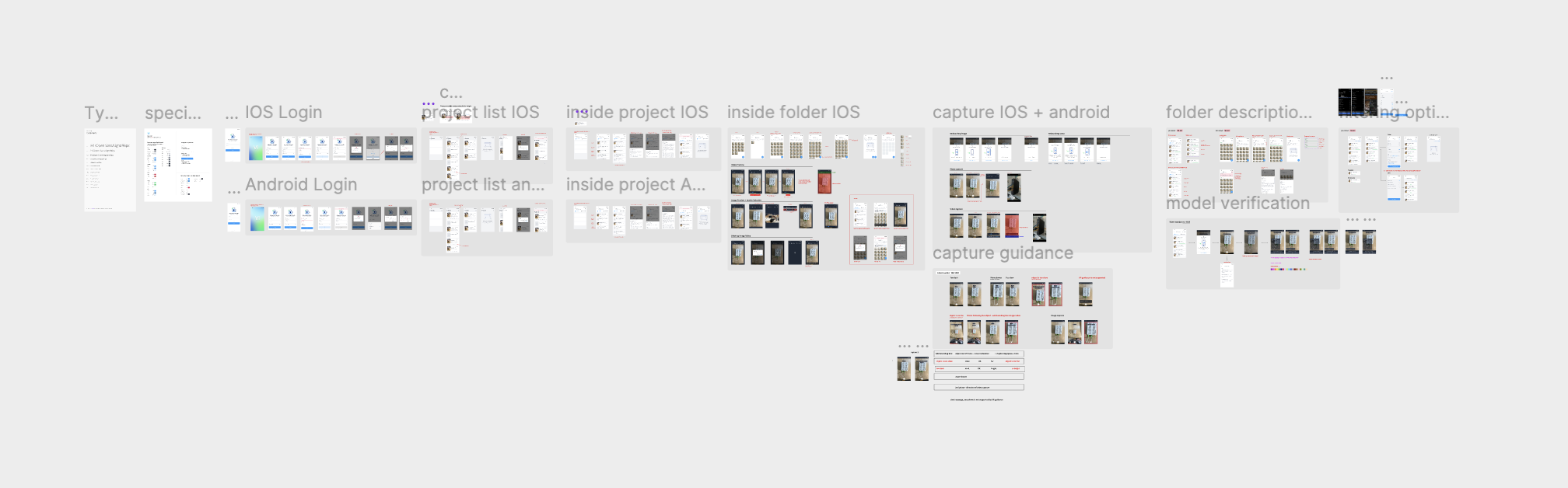
An internal tool for TechSee’s own data collection team. Handed off to engineering, every screen
TechSee, around 2022
The work had no structure
Training a computer vision model means photographing the same object from enough angles, in enough conditions, enough times. Before this app, that work had no structure: no one could say which device still needed more images, which angle was already covered, or when a category had enough to actually train on.
Finding what still needs capturing
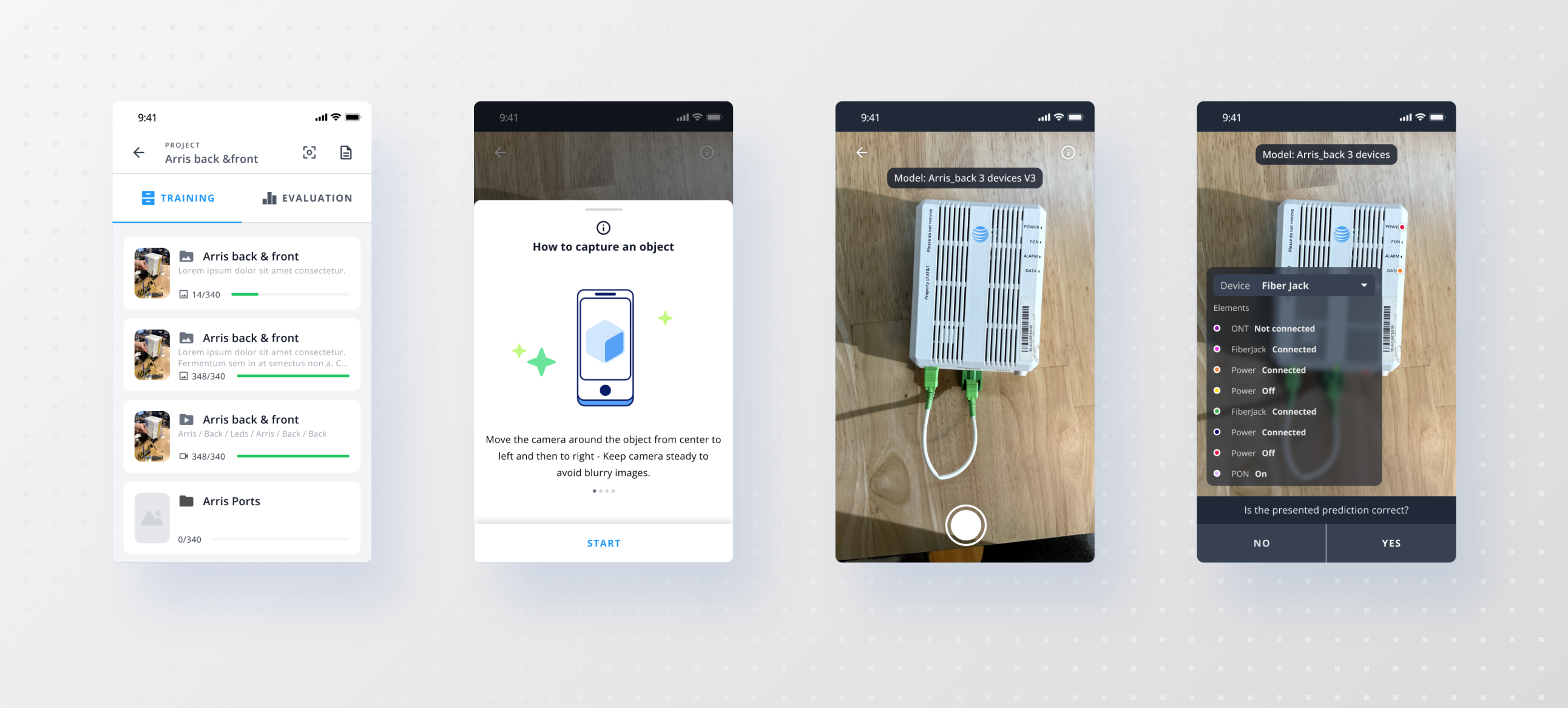
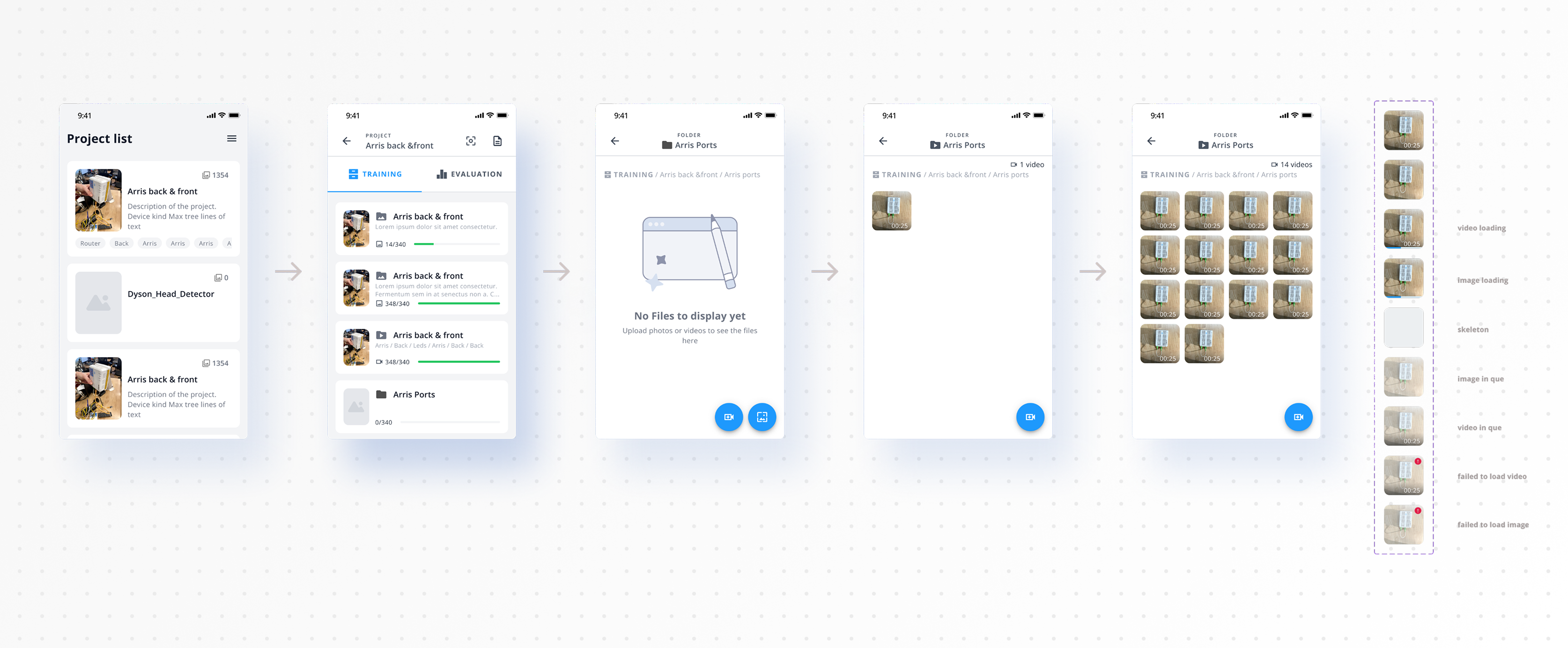
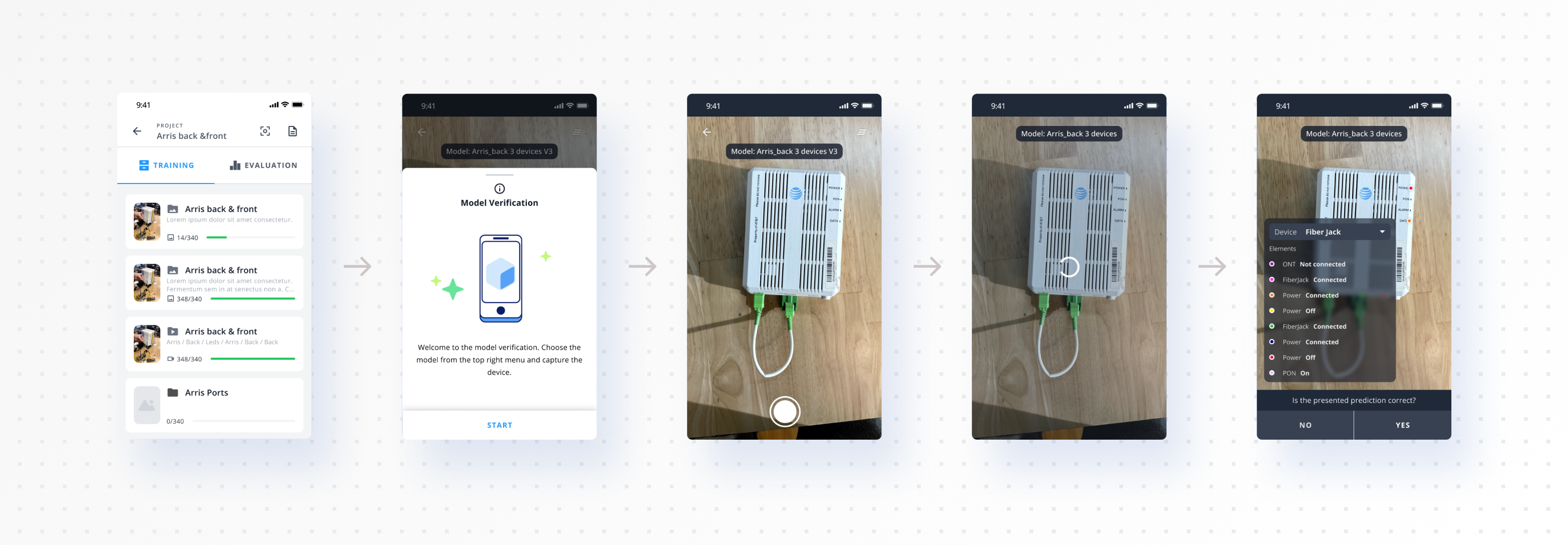
Projects map to what a model needs to learn: a router, a vacuum head, a specific device. Inside each one, folders break it down further, by part and angle, and every folder carries a live count against its target, 14 out of 340, 348 out of 340 once a category is done. Training and evaluation sets are split from the start, not sorted after the fact.
Nobody has to remember what’s missing. The folder says so.
Capturing with guidance
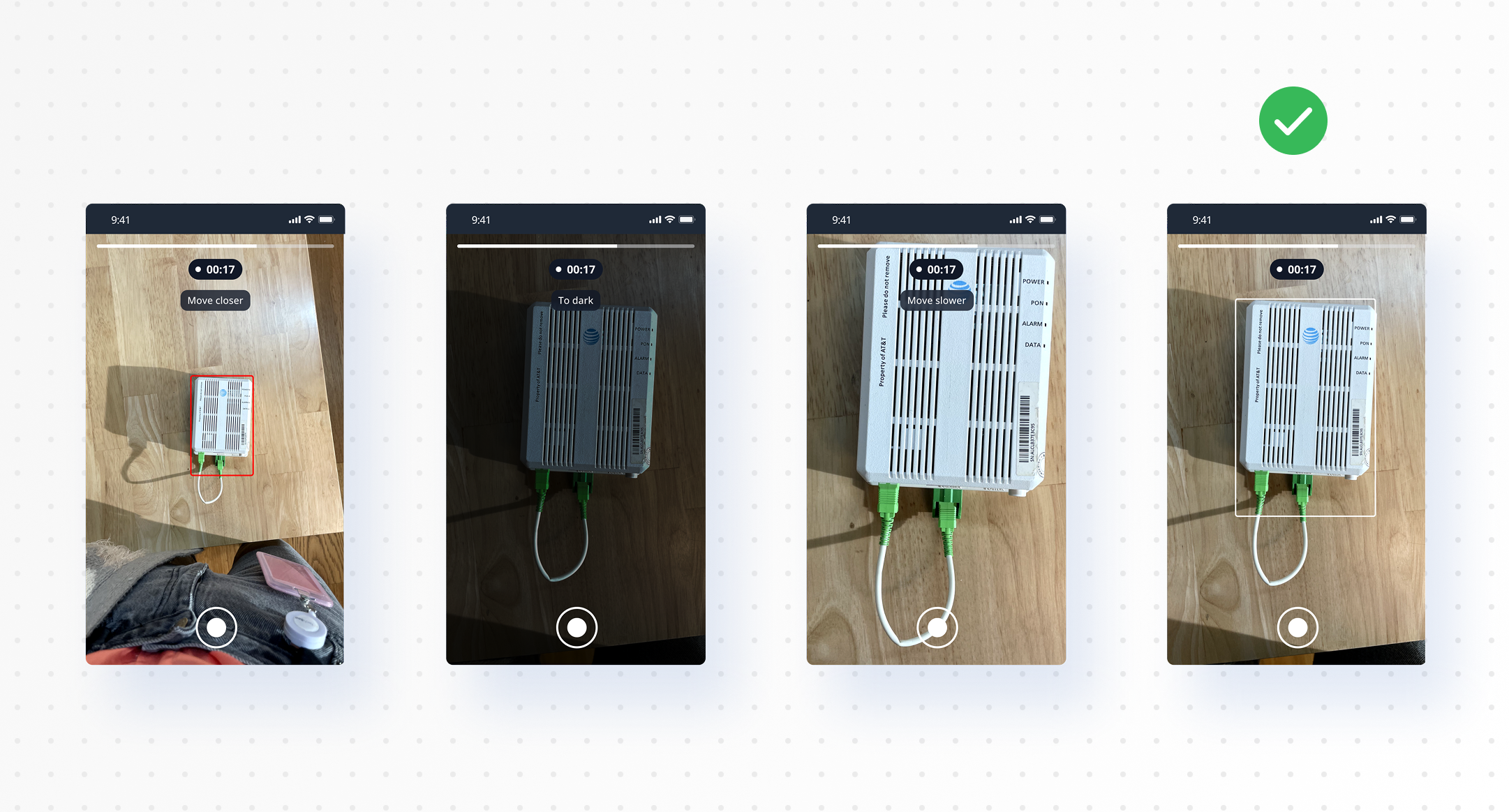
The capture screen gives real-time feedback as someone shoots: too dark, too close, too far, move slower. It’s built so anyone can capture usable training images without already knowing what “good” looks like.
Checking the model’s work
The same app closes the loop. Pick a trained model version, point the camera at the object, and see whether it actually recognizes it. Verification happens in the field, with the same tool used to collect the data in the first place, not in a separate review step disconnected from where the images came from.
Part of a bigger pipeline
This wasn’t the only source of training data at TechSee. Auto-Classifier pulls its images from live customer sessions, sampling frames as they happen. This app is the deliberate version of the same goal: someone captures exactly what a model needs, on purpose, instead of waiting for the right frame to turn up in a call. Two paths into the same training set, and this one is the more direct route to what a model actually needs.
What happened
It started as an internal tool, built to solve TechSee’s own data collection problem, and it stayed internal. The team using it responded well, positive feedback on the UI itself. The handoff to engineering covered every screen and every state it could be in, empty, full of images, loading, edge cases, on both iOS and Android, ready to build without guessing.